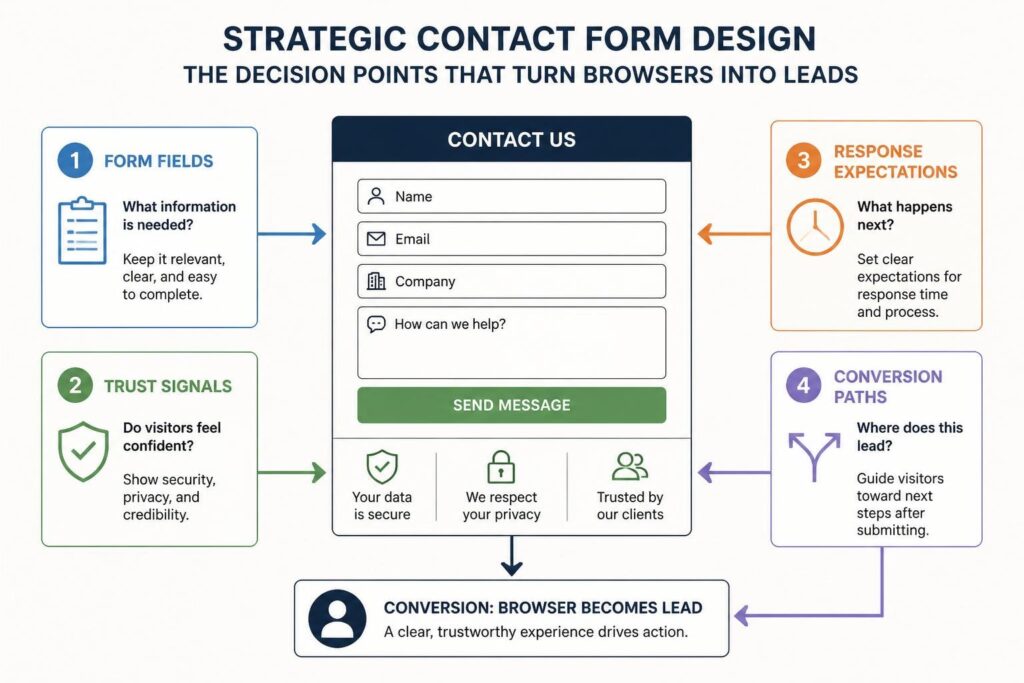
Your contact page is often the last step before a visitor becomes a lead. It sits at the end of the journey, where interest turns into action. Yet most businesses treat it like an afterthought, a basic form slapped onto a page with minimal thought. That’s a missed opportunity. Contact us web design done properly can be the difference between a qualified lead entering your system and a potential client bouncing to a competitor. For service based businesses especially, where trust and clarity matter more than flashy features, this page needs to work harder than you think.
Why Contact Us Pages Deserve More Attention
Most websites get contact page design wrong because they focus on what the business wants to collect rather than what the visitor needs to feel confident. A form asking for ten fields with no context or reassurance feels like an interrogation, not an invitation.
Good contact us web design starts with understanding visitor psychology at this point in the journey. They’re ready to reach out, but they’re also evaluating risk. Will you respond? How quickly? What happens next? If your page doesn’t answer these questions, friction builds and conversions drop.
The Trust Gap
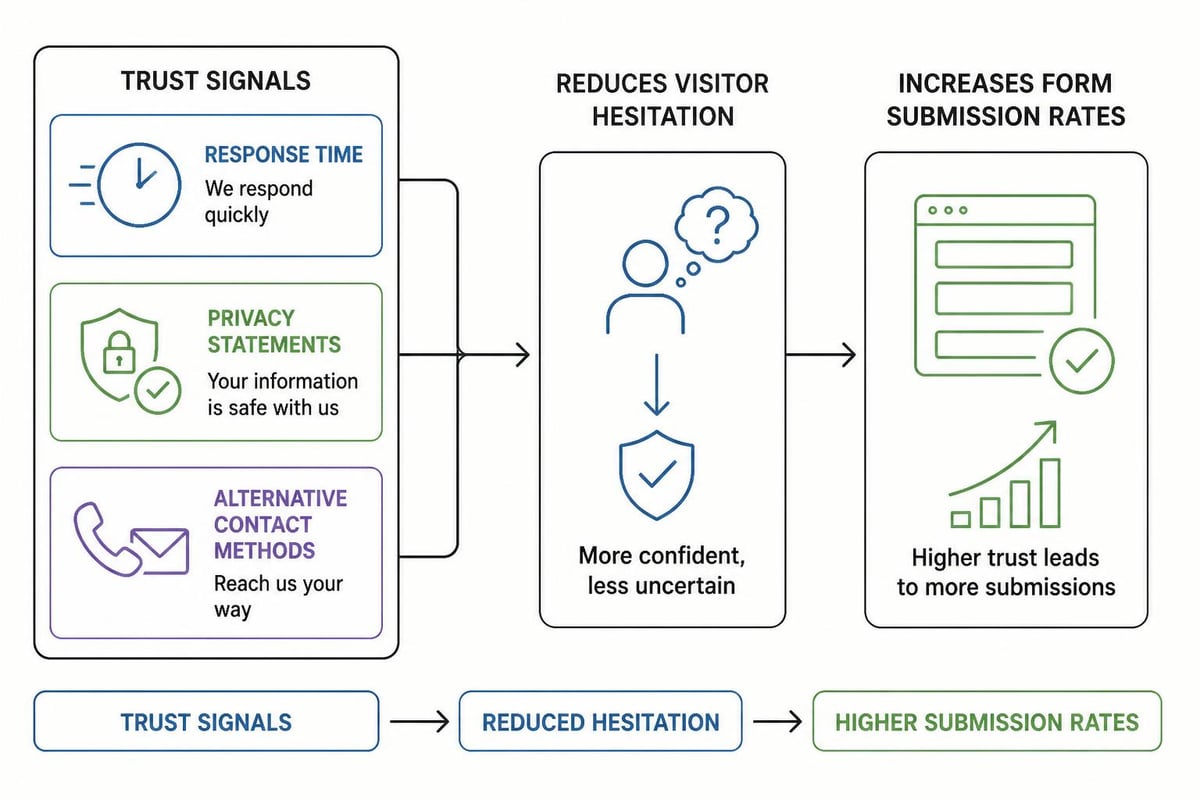
Service businesses live or die on trust. Your contact page either reinforces the credibility you’ve built across your site or undoes it in seconds. Small design choices matter here:
- Response time expectations clearly stated
- Privacy reassurance without legal jargon
- Alternative contact methods for different preferences
- Social proof positioned near the form
These elements aren’t decorative. They reduce hesitation and make the decision to submit feel safer. When designing contact pages that convert, prioritise clarity over cleverness.
Form Design That Reduces Friction
The form itself is where most contact us web design falls apart. Too many fields, unclear labels, or confusing layouts create unnecessary work for visitors who are already doing you a favour by reaching out.
Start with the minimum viable fields. For most service businesses, that’s name, email, and message. Phone number can be optional unless your sales process requires it. Every additional field reduces conversion rate, so justify each one.
Field Layout and Labels
Vertical stacking works better than side by side layouts on mobile, which is where most traffic comes from in 2026. Labels should sit above fields, not inside them as placeholder text. Placeholder text disappears when typing starts, forcing users to remember what goes where.
| Element | Best Practice | Why It Matters |
|---|---|---|
| Field order | Name, email, phone, message | Matches natural conversation flow |
| Required vs optional | Mark optional fields, assume required | Reduces cognitive load |
| Error messages | Inline, specific, helpful | Prevents frustration and abandonment |
| Submit button text | Action focused (“Send Message”) | Clearer than generic “Submit” |
Validation should happen in real time where possible. If an email format is wrong, show that immediately rather than waiting for submission. This speeds up the process and reduces errors.
Making Contact Information Accessible
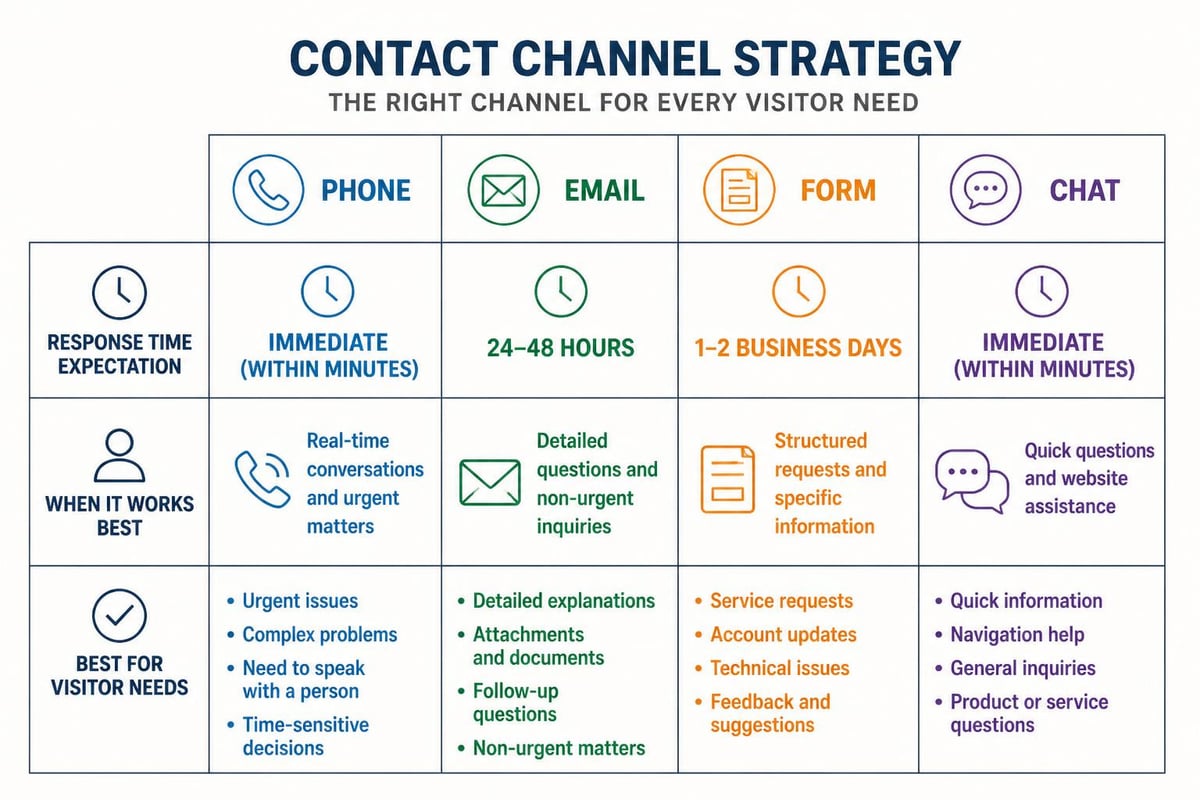
Your contact form shouldn’t be the only way to reach you. Some visitors want to call, others prefer email, and a growing number expect live chat. Contact page best practices suggest offering multiple channels while making your primary method obvious.
List your phone number at the top of the page if calls are welcome. Make it clickable on mobile. Include your email address as plain text, not just buried in a “mailto” link. Physical address matters too if you have a location, both for credibility and local SEO.
Chat and Alternative Channels
Live chat can reduce form submissions, but that’s not always bad. Quick questions get quick answers without entering your CRM. The tradeoff is resource cost. If you can’t staff chat properly, don’t offer it.
Social media links belong here if you’re active and responsive on those platforms. If your Instagram DMs go unanswered for days, leave them off. Every contact method you list is a promise about accessibility.
Connecting Forms to Your Marketing System
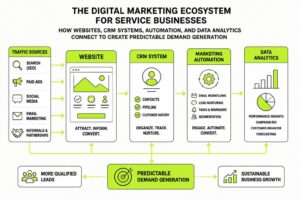
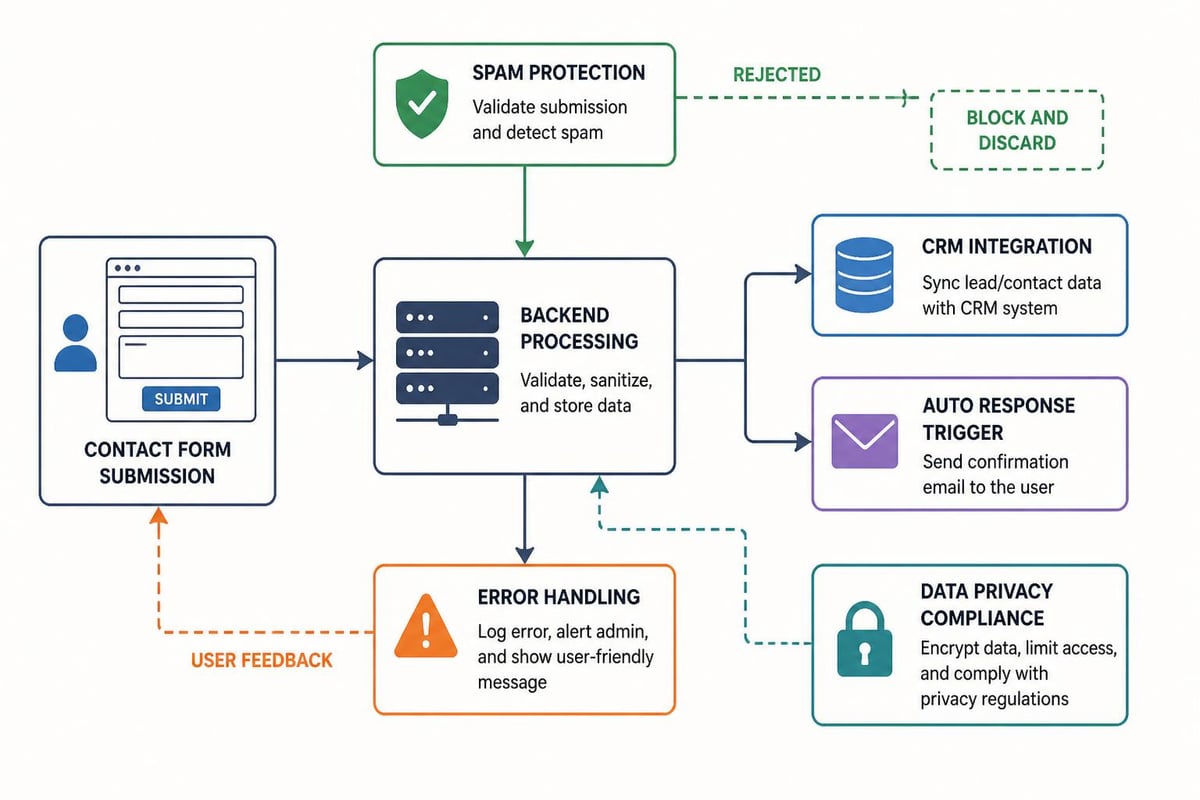
A contact form that doesn’t integrate with your CRM is just collecting data in a void. Contact us web design needs to consider what happens after someone clicks submit. Where does that lead go? How fast does someone respond? What’s the follow up sequence?
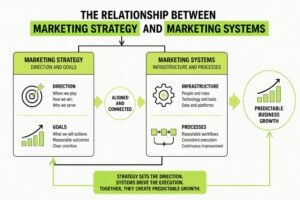
At MDO Digital, we see businesses lose leads in this gap all the time. The form works, the data arrives, but it sits in an inbox or a spreadsheet instead of triggering a structured response. That’s why we focus on marketing infrastructure that connects web forms directly to automation and nurture campaigns.
When a lead comes through your contact page, your system should:
- Send an immediate auto response confirming receipt and setting expectations
- Create a CRM record with source tracking and timestamp
- Alert the right person based on inquiry type or routing rules
- Trigger a follow up sequence if no manual response happens within your SLA
- Track conversion from form fill to qualified opportunity to closed deal
This isn’t complicated technology. It’s just intentional design that treats your contact page as part of a system, not an island.
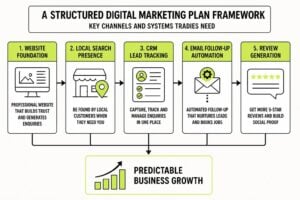
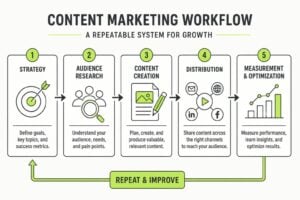
Building a repeatable marketing system means connecting every lead source to your 7-Step Marketing Plan, where contact forms feed directly into your CRM and nurture campaigns. This creates a structured path from first contact to qualified prospect.
Design Elements That Support Conversion
Visual hierarchy matters more on contact pages than almost anywhere else on your site. The form should be the primary focus, with supporting elements arranged to build confidence without distraction.
Layout Considerations
Single column layouts outperform multi column designs for contact forms. Keep the visitor’s eye moving down the page in a predictable path. If you include additional information like office hours or FAQs, place it below the form or in a sidebar that doesn’t compete for attention.
White space isn’t wasted space. It gives the form room to breathe and makes fields easier to scan and complete. Cramped layouts feel harder to use even when they’re functionally identical.
Colour choice for the submit button should contrast with the rest of the page while staying consistent with your brand design. The goal is to make it obvious and clickable without looking like a Christmas tree.
Mobile Optimization
More than 60% of contact form submissions happen on mobile in 2026. If your contact us web design doesn’t work perfectly on a phone, you’re losing leads daily.
Test these mobile specific issues:
- Field size: Tap targets need to be large enough for thumbs
- Keyboard handling: Forms should scroll to keep active fields visible
- Auto correct: Don’t disable it unless there’s a specific reason
- Input types: Use “email” and “tel” types to trigger correct keyboards
The examples from Zendesk show how professional services handle mobile contact design without compromising desktop experience.
Content That Guides and Reassures
The words on your contact page matter as much as the form design itself. This isn’t the place for clever copy or brand personality overload. Visitors need clear direction and confidence.
Page Heading and Introduction
Your H1 should tell visitors exactly what this page does. “Contact Us” works fine. “Get In Touch” is acceptable. “Let’s Chat” is trying too hard unless that genuinely matches your brand voice.
Below the heading, include one or two sentences that set expectations. What happens after they submit? How quickly will you respond? What kind of inquiries does this form handle?
“Send us a message and we’ll get back to you within one business day. For urgent technical support, call the number below.”
That’s clear, practical, and reduces uncertainty. No need to oversell or complicate it.
Error Prevention Through Copy
Good microcopy prevents errors before they happen. Next to a phone field: “We’ll only call if you ask us to.” Next to email: “We’ll send a confirmation to this address.” These small reassurances reduce anxiety and improve data quality.
For website design projects, we often include a brief note about what information helps us provide accurate quotes. “Tell us about your project timeline and any specific features you need” prompts better responses than a blank message field.
Common Mistakes That Kill Conversions
Even with good intentions, contact us web design often includes elements that actively hurt performance. These are the patterns we see most often in service businesses.
CAPTCHA Overuse
Bot protection matters, but visible CAPTCHAs add friction. Modern spam prevention works in the background without making humans prove they’re not robots. If you must use CAPTCHA, implement invisible versions that only trigger when behaviour looks suspicious.
Hidden Contact Information
Some sites hide phone numbers and emails completely, forcing all contact through forms. This might be convenient for tracking, but it frustrates visitors who prefer direct contact. Unless you have a specific reason to restrict communication channels, make them available.
Asking for Too Much Too Soon
“How did you hear about us?” is interesting for your analytics but irrelevant to conversion. Budget questions can scare off prospects before you’ve had a conversation. Job titles and company size belong in your CRM enrichment process, not your initial contact form.
| Mistake | Why It Happens | Better Approach |
|---|---|---|
| 10+ form fields | Marketing wants all the data | Start with 3-4, enrich later |
| No response time stated | Seems obvious internally | Always set clear expectations |
| Form only, no alternatives | Easier to track and manage | Offer email and phone too |
| Generic confirmation message | Default system settings | Personalize with next steps |
Performance and Technical Considerations
Contact us web design isn’t complete until the technical infrastructure supports it. A beautiful form that loads slowly or breaks on submission wastes all your design effort.
Page Speed
Contact pages should load in under two seconds. Heavy images, unoptimized scripts, or slow server response times create abandonment before visitors even see your form. Run your contact page through speed testing and optimize accordingly.
Form Submission Handling
What happens if submission fails? Does the visitor see an error message? Do they lose their typed content? Proper error handling preserves form data and provides clear recovery paths.
Success messages should confirm receipt and outline next steps. “Thanks, we’ll be in touch soon” is weak. “Message received. We typically respond within 24 hours. Check your email for confirmation” is better.
Security and Privacy
Contact forms collect personal information, which means GDPR, privacy policies, and data security matter. Include a brief privacy statement near the submit button, linked to your full policy. Never auto subscribe contact form submitters to marketing emails without explicit consent.
The design practices outlined by Argosoft emphasize building trust through transparent data handling and clear communication about how information will be used.
Testing and Iteration
Your first version of contact us web design won’t be perfect. The businesses that generate the most leads from contact pages treat them as living elements that improve over time.
What to Test
Start with submission rate. What percentage of contact page visitors actually submit the form? Industry benchmarks vary, but 5-10% is reasonable for service businesses. Lower suggests friction. Much higher might indicate form spam.
Test field combinations. Does adding phone number reduce submissions? Does removing company name increase them? A/B testing tools make this straightforward, but even manual before/after comparison over consistent time periods reveals patterns.
Response time matters more than most businesses realize. Track how quickly your team responds to contact form submissions and correlate that with conversion to qualified opportunity. Faster isn’t always better, but hours matter more than minutes, and days kill deals.
Learning from Form Abandonment
Analytics can show where visitors drop off. If people start filling out your form but don’t submit, that’s valuable data. Too many fields? Unclear requirements? Technical errors? Each abandonment pattern suggests specific fixes.
Integration with Broader Marketing Strategy
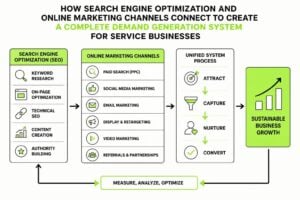
Contact forms don’t exist in isolation. They’re touchpoints in a larger journey that starts with awareness and moves through consideration to decision. How your contact page fits into that journey affects both its design and its conversion rate.
Service businesses often drive traffic to contact pages from multiple sources: organic search, paid ads, email campaigns, social media, direct mail. Each source brings visitors with different context and readiness to buy.
Source Specific Landing Pages
Rather than sending all traffic to one generic contact page, consider source specific versions that acknowledge where visitors came from and what they’ve already seen. Someone clicking through from a digital marketing campaign has different context than someone finding you through organic search.
This doesn’t mean building dozens of unique pages. It means using URL parameters or simple variations to match message to source, then treating that data in your CRM to improve follow up.
The Webflow guide to contact pages includes examples of how context aware design improves conversion by reducing the mental gap between what prompted contact and what the form offers.
When Contact Forms Aren’t Enough
Some businesses need more than a standard contact form. Complex services, custom pricing, or lengthy sales cycles might require progressive disclosure, multi step forms, or qualification questions.
Calendar booking integration removes email tennis. If your sales process involves scheduled calls, embed scheduling directly on the contact page. Tools like Calendly integrate smoothly and reduce the steps between interest and conversation.
File uploads matter for businesses that need briefs, current materials, or project specs. Design services, marketing agencies, and technical consultants often benefit from letting prospects attach relevant documents during first contact.
Creating Service Specific Forms
If you offer multiple distinct services, consider separate contact forms for each. A business looking for branding work has different needs than one seeking marketing automation. Tailored forms collect better information and allow for more relevant follow up.
Just don’t overcomplicate navigation. Make it obvious which form serves which purpose, and provide a general option for visitors who aren’t sure what they need.
Accessibility Matters
Contact us web design should work for everyone, including visitors using screen readers, keyboard navigation, or other assistive technologies. This isn’t just ethical, it’s practical. Accessible forms convert better for all users.
Basic Accessibility Requirements
- Proper label association so screen readers identify fields correctly
- Keyboard navigation that moves through fields in logical order
- Error identification that doesn’t rely only on colour
- Sufficient contrast between text and backgrounds
- Focus indicators that show which field is active
These requirements aren’t difficult to implement, but they’re often overlooked. The Slider Revolution guide includes examples of accessible contact forms that maintain visual appeal.
Maintaining Contact Page Effectiveness
Once your contact us web design is working, maintenance keeps it effective. Review contact form performance quarterly at minimum. Check for technical issues, review conversion rates, and update content as your business evolves.
Email addresses change, phone numbers update, and office hours shift. Keep contact information current. Nothing erodes trust faster than outdated contact details that waste a visitor’s time.
Monitor spam levels and adjust protection accordingly. If legitimate submissions get caught in filters, you’re losing leads. If spam overwhelms your inbox, you’re wasting time and risking missed opportunities.
Form testing should be part of routine website QA. Submit test inquiries monthly to verify auto responses work, CRM integration functions properly, and the visitor experience remains smooth from start to finish.
Contact us web design shapes how visitors transition from interest to action, and small improvements compound into significant lead generation gains over time. The form, the content, the trust signals, and the backend systems all work together to either welcome prospects or push them away. If your current contact page treats this conversion point as an afterthought, you’re leaving opportunities on the table. MDO Digital builds marketing systems that turn website traffic into structured pipelines, connecting contact forms to CRM automation and data driven follow up that actually converts. We help service businesses remove chaos and create predictable growth.